

Surose
Surose Karki is an SEO specialist with over five years of experience in optimizing websites for search engines and driving organic growth. He specializes in on-page SEO, local SEO, and content strategy, with a strong focus on improving search visibility, user experience, and conversion performance. With a data-driven approach and deep understanding of search intent, Surose helps businesses build sustainable digital presence through strategic optimization, technical precision, and high-quality content execution.
If you’ve ever searched for a product and seen a business listing pop up above the regular results marked “Sponsored,” you’ve already met Google Ads. It’s the advertising platform behind most of the paid listings you see on Google Search, YouTube, and millions of partner websites.
This guide breaks down what Google Ads actually is, how Google Ads works, the different campaign types available, how to set up your first campaign, why businesses use the platform, and the best practices that help new advertisers avoid the most common early mistakes.
What Is Google Ads?
Google Ads is the name of Google’s pay-per-click (PPC) platform, giving businesses visibility across Google’s search results, video, and partner properties rather than relying on organic reach alone. The search ad is the format most people encounter, showing up on the results page for queries that match what an advertiser sells, though businesses also run display ads, shopping ads, YouTube ads, and Performance Max campaigns depending on the goal.
Types of Google Ads Campaigns
Google Ads offers several campaign types in 2026, each built for a different part of the buying journey and a different Google property.
Search ads
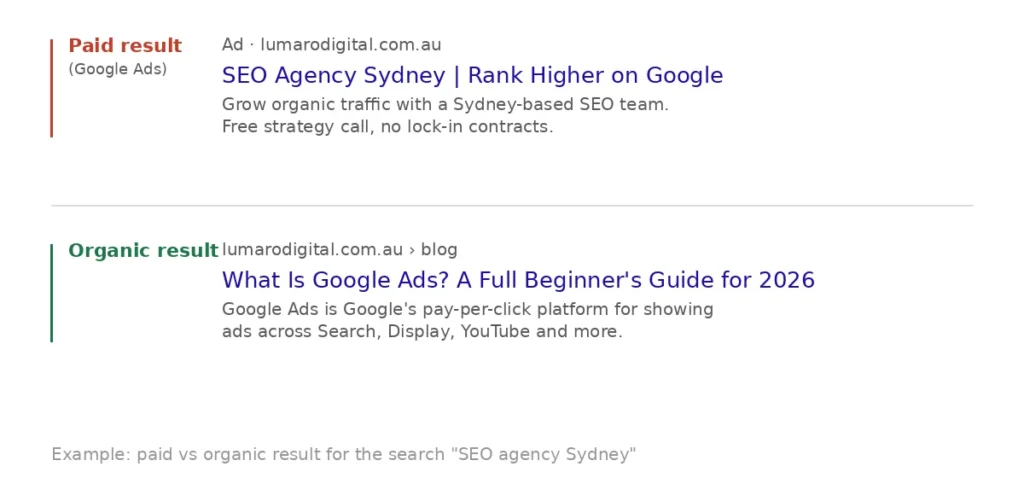
Search ads are text-based ads that appear at the top of the Google Search results page, above the organic listings, when someone types a matching query. For example, searching “SEO agency Sydney” might surface an ad reading “SEO Agency Sydney | Rank Higher on Google” above the Organic results.
Display ads
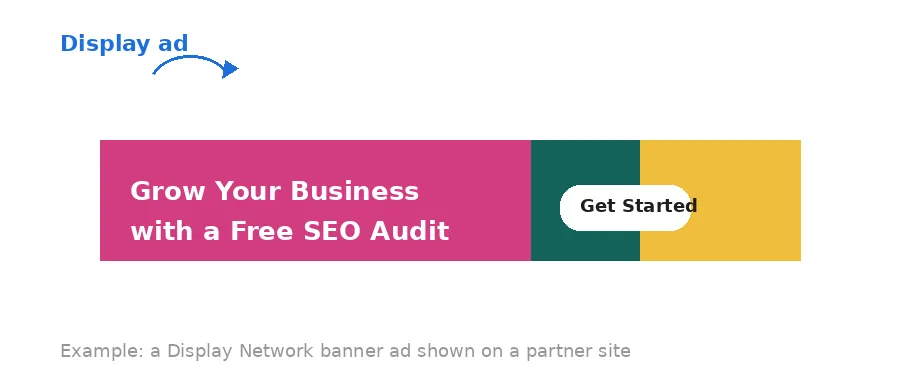
Display ads are visual banner ads shown across the Google Display Network. They can run in text, image, video, or rich media format, and can be targeted differently to Search, using audiences and remarketing rather than keywords alone. They’re built for brand awareness and remarketing rather than immediate conversions, reaching people while they browse rather than while they search.
Shopping ads
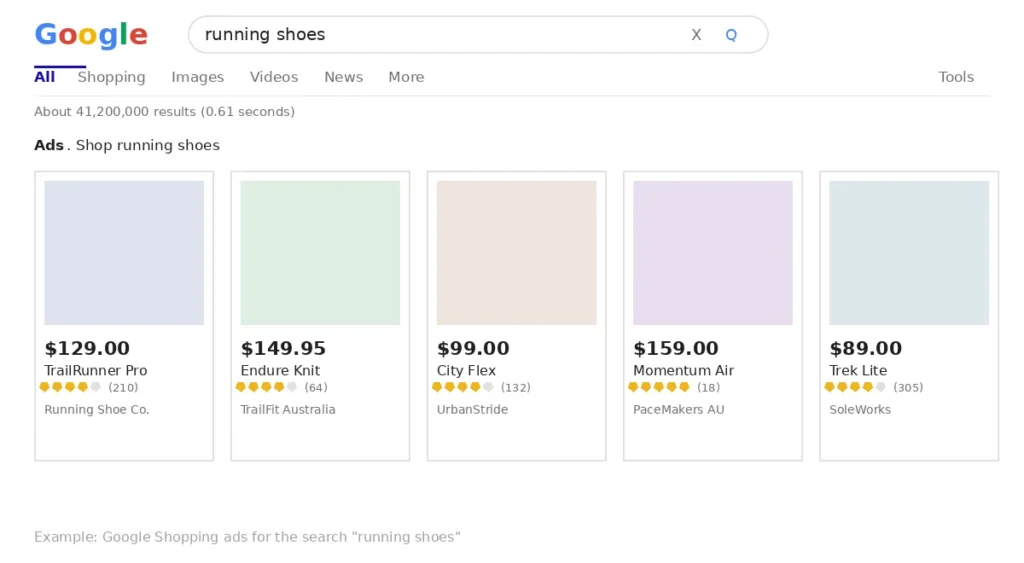
Shopping ads pull product images, pricing, and store names directly from a Google Merchant Centre feed and display them at the top of search results for product queries. They’re used almost exclusively by ecommerce businesses and require a synced product feed rather than manually written ad copy.
YouTube ads
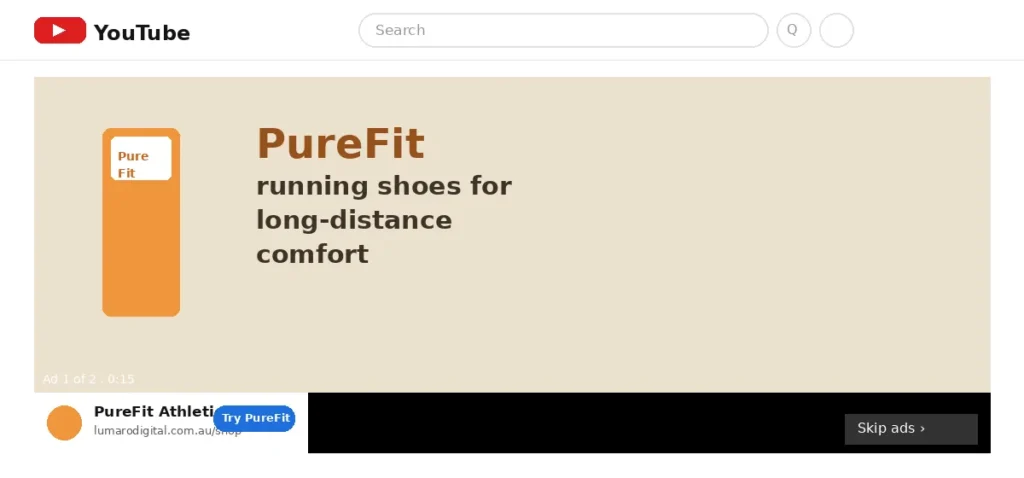
YouTube ads run as skippable or non-skippable video ads before, during, or after YouTube content, and can also appear in YouTube search results. They’re effective for demonstrating a product or building brand recognition at scale, using formats like in-stream and video discovery ads.
App Campaigns
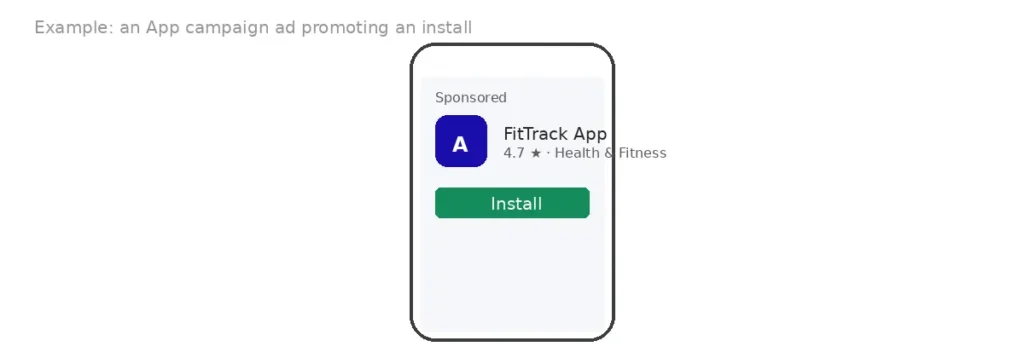
App campaigns are built to drive installs or in-app actions for a mobile app, whether that’s downloads, sign-ups, or purchases inside the app itself. Rather than building separate ads for each channel, you provide a single creative set (some text, images, and video, plus your app store listing) and Google’s machine learning automatically places variations across Search, Display, YouTube, and Google Play to find the people most likely to install.
Performance Max Campaigns
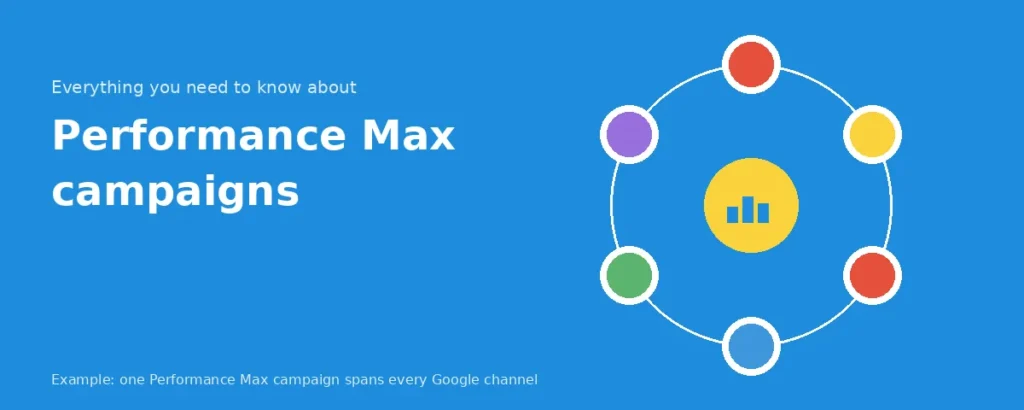
Performance Max is Google’s AI-powered campaign type that runs your ads across all Google channels Search, Display, YouTube, Gmail, Maps, and Discover from one single setup instead of a separate campaign for each. You give it your images, text, and a goal, and Google’s automation figures out the bidding, the targeting, and where each ad shows up. It’s a good fit if you want wide reach without managing every channel yourself, but you do give up some say over exactly where your ads appear.
How does Google Ads work?
At a basic level, the process looks like this:
- You build ads and choose what to target, keywords, audiences, or specific placements.
- You set a bid, competing against other advertisers going after the same spot.
- Google runs an auction to decide whose ad shows and where.
- You get charged based on your chosen bidding goal, usually a click, though impressions or views are options too.
- Someone clicks through to your landing page, and how well that page performs feeds back into your results: a strong click-through rate can help lower what you pay per click over time.
Under the hood, that auction is more involved than it looks. A fresh auction runs for every search, Display page view, or YouTube video load, ranking eligible ads on bid amount combined with Quality Score, Google’s 1-10 rating of how relevant your keyword, ad, and landing page are, built from expected click-through rate, ad relevance, and landing page experience. A higher score lowers your cost per click.
That combination produces Ad Rank, the number that sets your position, factoring in your bid, Quality Score, ad extensions, and context like device or location. It’s why two equal bids can land in very different spots: the more relevant ad usually wins.
You’re then charged under a second-price (Vickrey) auction: never your max bid, just enough to beat the advertiser below you.
Setting Up a Google Ads Campaign
Google’s own setup flow breaks a first campaign down into five simple steps, and it’s a genuinely good beginner starting point:
- Add your business details. Enter your business name and website. If you already have a Google Business Profile or Analytics account, linking it speeds up setup and lets Google tailor its recommendations to your actual business.
- Pick your campaign goal. Choose what you’re optimising for, sales, leads, phone calls, website visits, or brand awareness. Google uses this to steer you toward the right campaign types and settings for the rest of the setup.
- Build your ad. Add your keywords, images, logos, or video, whatever the campaign type calls for, and preview how they’ll look in different ad formats. Google’s automation then tests combinations of your assets to find what performs best.
- Choose your audience and budget. Tell Google who you want to reach, and it’ll suggest keywords and audience expansions from there. Set your daily spend; Google will show a recommended range based on your goal and industry.
- Review and launch. Confirm your billing details and submit. If your goal involves tracking online conversions, set up conversion tracking before the campaign goes live, not after, since none of Google’s optimisation has anything to work with without it.
Setting this up yourself and want a second pair of eyes before you spend? Book a free consultation with Lumaro Digital’s Google Ads team — we’ll sanity-check your setup before you launch.
Why Businesses Use Google Ads
Businesses use Google Ads because it puts them in front of people who are actively searching for what they sell. A few reasons it’s become a go-to channel:
- Speed – Unlike SEO, which can take months to show movement, Google Ads can start generating traffic and leads from the day a campaign launches.
- Control – You can pause a campaign, adjust bids by location or device, or scale spend up for a busy season, all instantly, without waiting on algorithm changes.
- Measurability – Every click, cost, and conversion is tracked, so you can calculate a real return on ad spend instead of guessing at what your marketing is doing.
- A proven return – Google’s own economic impact research estimates an average of $2 in profit for every $1 spent on Search ads, a conservative, published figure rather than a marketing claim, though actual results vary by industry and campaign quality.
Is Google Ads worth it in 2026?
Google Ads is worth it in 2026 for most businesses with a clear conversion path and the budget to gather meaningful data, though the answer depends heavily on industry, margin, and how competitive the keyword landscape is.
Search advertising has become more automated over the past few years, with Google pushing advertisers toward Performance Max and Smart Bidding. This has made the platform more accessible for beginners who don’t want to manage bids manually, but it’s also made keyword-level control harder to access. In practice, the businesses getting the best results in 2026 are the ones feeding Google’s automation clean conversion data and strong creative, not the ones fighting the algorithm for manual control.
Cost per click has also risen steadily across most competitive industries, so a realistic budget matters more than ever. A business testing Google Ads for the first time should budget for at least one to two months of consistent spend before judging results, since the algorithm needs conversion volume to optimise properly.
Google Ads Best Practices for Beginners
New advertisers get the best early results by focusing on a small number of fundamentals rather than trying to master every feature at once.
- Start narrow. Launch with a small, tightly themed set of keywords rather than broad match terms across an entire product range. It’s easier to expand a working campaign than to fix a bloated one.
- Match landing pages to ad intent. If your ad promises a specific service, the landing page should be about that service, not a generic homepage. Landing page relevance directly affects Quality Score.
- Set up conversion tracking before launch. Without it, Smart Bidding has nothing to optimise toward, and you’ll be flying blind on which keywords actually drive results.
- Use negative keywords early. Reviewing search term reports weekly in the first month catches irrelevant traffic before it drains the budget.
- Give Smart Bidding time to learn. Switching strategies too early resets the learning phase and can temporarily hurt performance. Give a new bidding strategy at least a full learning cycle before judging it.
- Test ad copy in pairs. Run at least two headline and description variations per ad group so Google’s testing has something to compare.
Key metrics to track after launch
- Once a campaign is live, a handful of metrics tell you whether it’s actually working.
- CTR (click-through rate) shows what percentage of people who see your ad click it. Above 2% is a reasonable benchmark for Search ads, though it varies by industry.
- CPC (cost per click) is what you’re actually paying per click, useful for spotting whether a keyword or ad group is burning budget faster than it should.
- Conversion rate measures what percentage of clicks turn into the action you care about, an enquiry, a call, a sale. A high CTR with a low conversion rate usually points to a landing page mismatch, not a targeting problem.
- Quality Score (covered above) is worth checking per keyword, not just at the account level, since one weak keyword can drag down an otherwise strong ad group.
- Impression share shows what percentage of available impressions your ad actually won. A low impression share alongside strong conversion rates is often a signal to raise budget, not to change targeting.
- Review these weekly for the first month, then monthly once the account stabilises. Reacting to daily fluctuations before a campaign has enough data tends to do more harm than good.
Frequently Asked Questions
What is Google Ads?
Google Ads is Google’s pay-per-click advertising platform that displays ads across Search, Display, YouTube, Shopping, and Maps. Advertisers bid on keywords or audiences and only pay when someone clicks or takes another defined action, making it a measurable, budget-controlled way to reach people actively searching for a product or service.
Is Google Ads free?
No, Google Ads is not free to run campaigns on, though creating an account has no cost. Advertisers pay per click, per impression, or per conversion depending on the bidding strategy chosen, and Google requires a minimum daily budget to be set before a campaign can go live. There’s no fixed price; cost depends entirely on competition for your chosen keywords.
Is Google Ads difficult for beginners?
Google Ads has a learning curve, but it’s manageable for beginners who start with one focused campaign rather than trying to launch across every campaign type at once. The main challenge isn’t the interface, it’s understanding bidding strategy, keyword match types, and how to read performance data correctly.
How long does it take to see results?
Most Google Ads campaigns show initial traffic within days, but meaningful, optimised results typically take four to six weeks as Google gathers conversion data and Smart Bidding strategies exit their learning phase. Search campaigns tend to show results faster than Display or Performance Max campaigns.
What's the difference between Google Ads and SEO?
Google Ads delivers paid placements that stop the moment you stop paying, while SEO builds organic rankings that compound over time but take months to establish. Google Ads is faster to activate and easier to measure short-term; SEO tends to deliver a lower cost per lead once rankings are established, which is why most mature businesses run both channels together.
Can small businesses use Google Ads?
Yes, small businesses can use Google Ads effectively, and the platform’s budget flexibility, no minimum spend requirement beyond your own daily budget setting, makes it accessible even for tight marketing budgets. The key for small businesses is starting narrow with a specific service or location rather than competing broadly against bigger advertisers.
Is Google Ads worth it for local businesses?
Google Ads is generally worth it for local businesses because location targeting, call extensions, and Google Maps ads let them compete for nearby customers without needing a national budget. A local business searching “plumber near me” style terms often sees a faster return than one targeting broad, national keywords.
Getting started with Google Ads
Google Ads rewards relevance over raw budget. The platform’s whole auction system is designed to favour advertisers whose ads and landing pages genuinely match what the searcher is looking for, which is good news for smaller, focused businesses competing against bigger names. Whether you’re testing your first Search campaign or weighing Google Ads against SEO for a longer-term strategy, the right starting point is a clear objective and clean conversion tracking from day one.
If setting up and managing that first campaign feels like a lot to take on alongside running your business, Lumaro Digital’s Google Ads management team can build and run it for you. Book a free consultation to talk through what a campaign could look like for your business.